

Create a tenant
This article explains how to create a tenant in the Socotra Insurance Suite.
Steps
- Log into your Socotra business account. For more information, see: Log into Socotra.
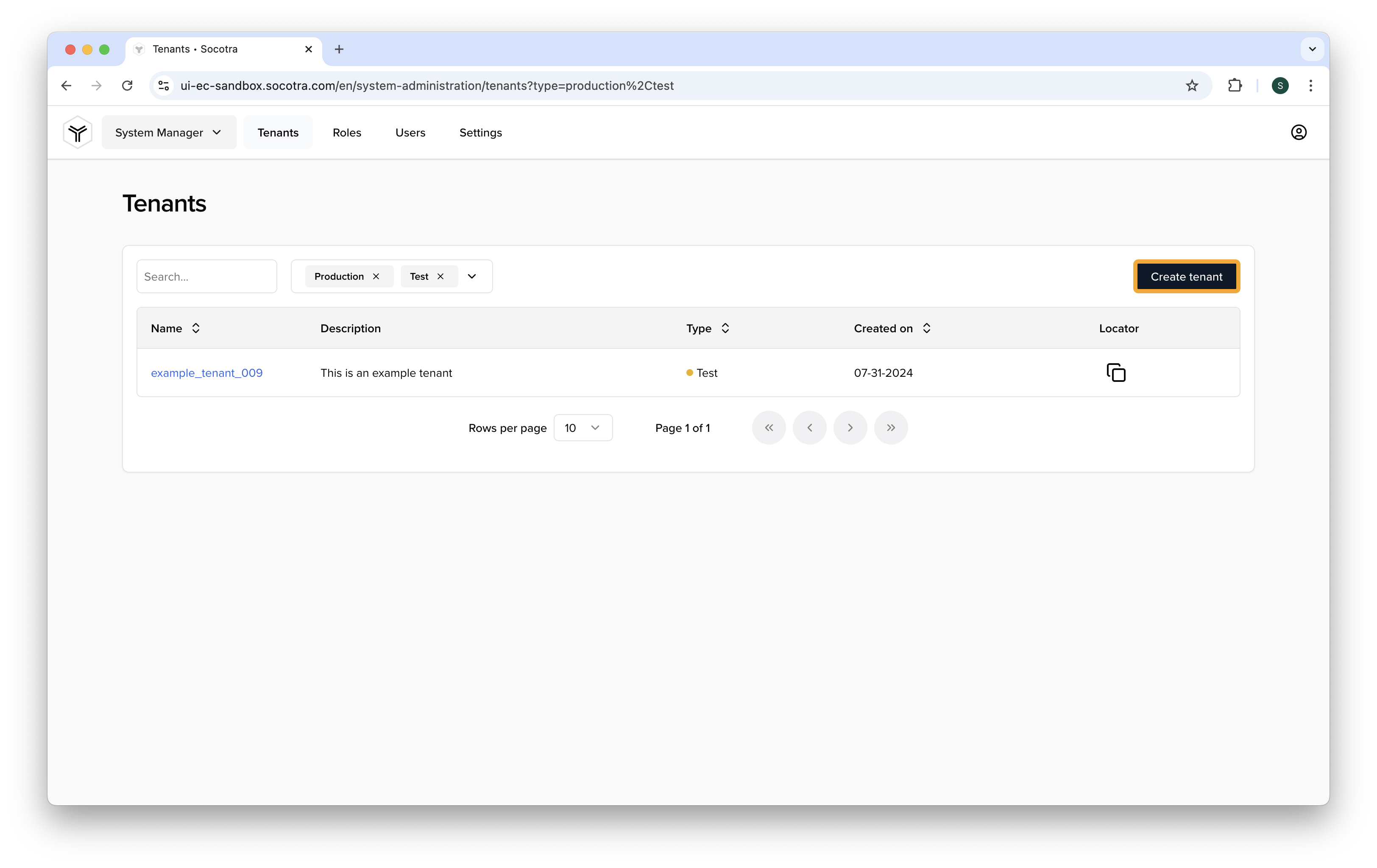
- Navigate to System Manager > Tenants.
- Click Create tenant
-
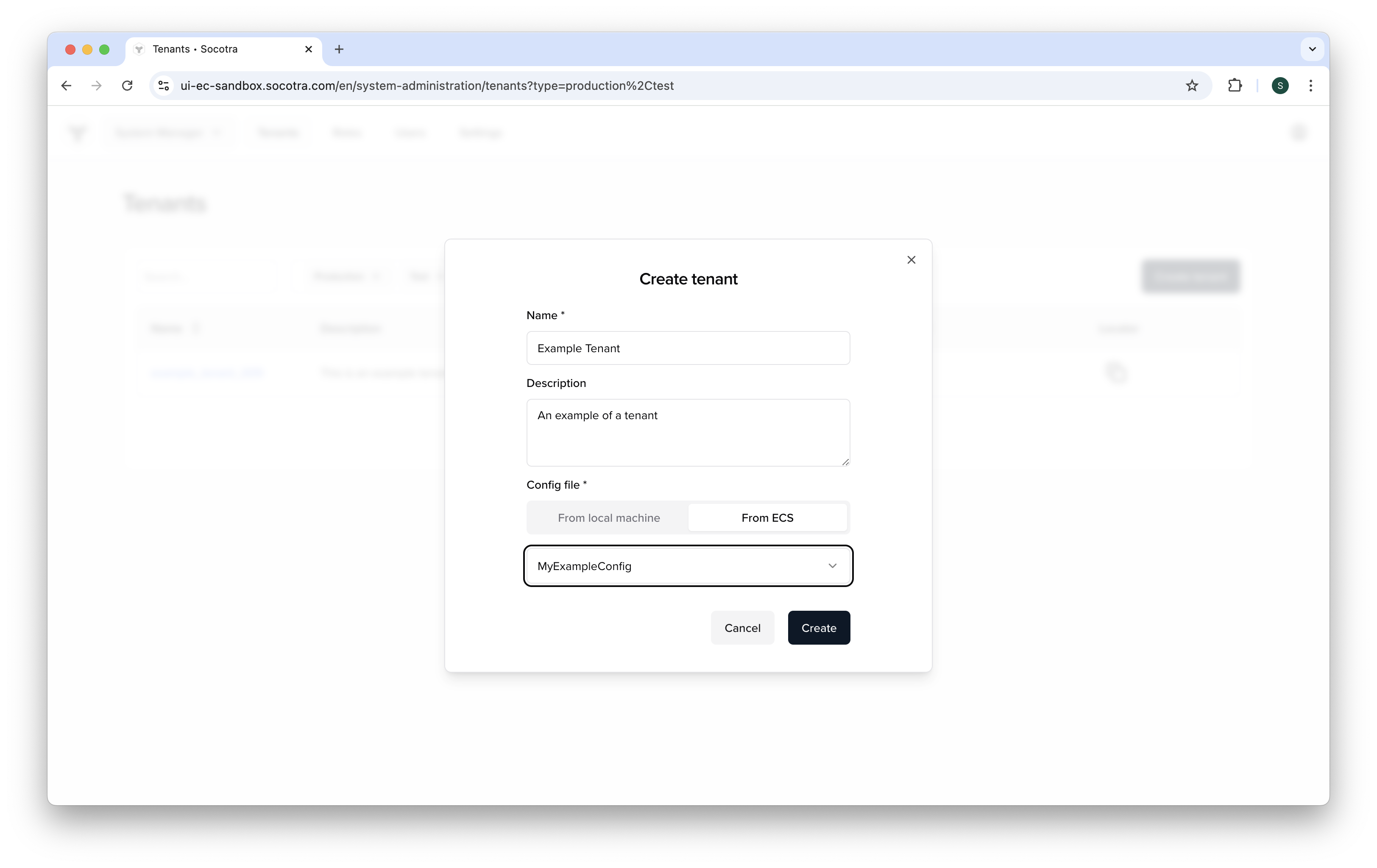
Provide the following information:
-
Name: Provide a name for the tenant.
- This can be any value, but we recommend naming it something related to the kind of activity the tenant will host.
- For the purpose of this tutorial, we'll call it Example Tenant.
-
Description: Provide a description of the tenant (optional)
- Though this is optional, it's best practice to provide a description of the kind of activity the tenant hosts.
-
From ECS: Select "From ECS" from the dropdown to select a configuration. For more information, see: Create a tenant configuration file
-
-
See the screenshot below for an example of how your form should look.
- Click Create.
Note that, during tenant creation, validation is performed on the configuration. This process can take up to 60 seconds.
- You should receive a message saying tenant creation was successful.
Ready for the next module?
See Set up Postman to use the Socotra API to continue this learning path.