

Build Sections
In these exercises, you group the quote's fields into sections, add producer pickers with plugin sections, reuse a section, and hide a section based on the quote's data (for producers, see Producers). For every option, see Sections and Layout and Scope, Access, and Conditions.
4. Group Fields into Sections
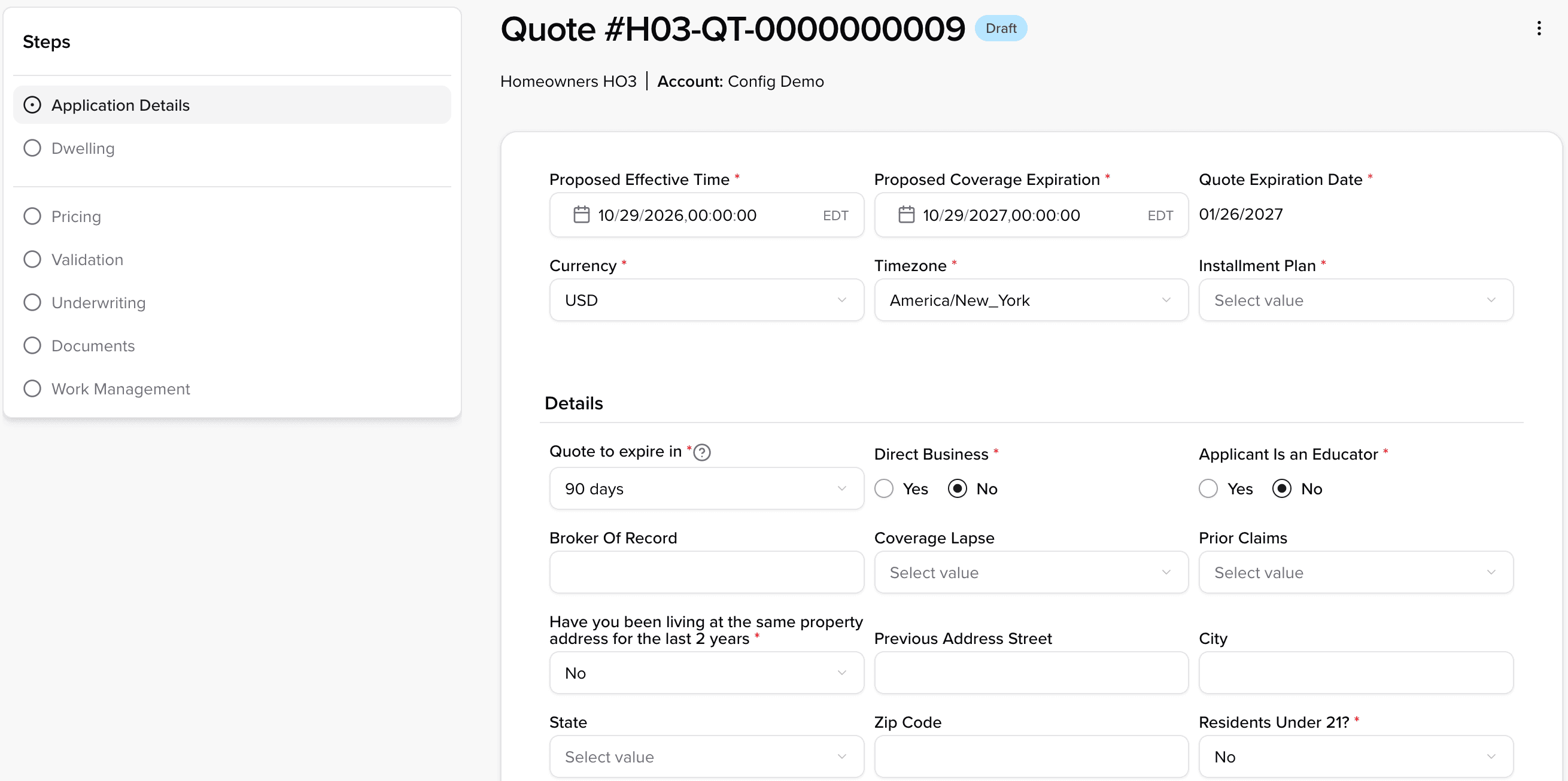
- Task: Replace the first step's long sections with five short ones, starting with a General Submission Details section, and rename the step to Submission Details.
- Look at: Same step, from the top. The step list shows its name.
- Where:
products/HO3/config.json, the first step inpages.editor.workflows.default.steps.

What you can use (see Section Properties, Layout, and Validation):
- A section:
titleandinclude includelists field paths:data.<field>,static.<field>for Static Data,elements.<Element>for an exposure, or the bare name for the quote's own fields, such asstartTime.- A step shows only the sections you list. The eligibility questions come back on their own step in exercise 7.
- A field can appear in more than one section; its settings from exercise 1 follow it.
layouton a section:orientation(verticalputs one field per row),width(full,3/4,2/3,1/2,1/3,1/4; fractions tile into a row),variant(card,flat,accordion),collapse(fixed,expanded,collapsed)layout.widthon a field:fullor1/2- Static data (
static.quoteDueDate) is configured likedata, under a top-levelstaticData. validationon a field:minandmaxas a number or calculated like acompute;stepfor a multiple, such as1000
Hint
The first section:
{
	"title": "General Submission Details",
	"include": [
		"data.submissionDate",
		"static.quoteDueDate",
		"data.expireIn",
		"startTime",
		"endTime"
	]
}
The answer also adds a "Continue" button (buttons are covered in exercises 7 and 13). It removes the untitled lifecycle section and Advanced Details, so "Quote Expiration Date" doesn't show on this step until exercise 9.
Answer: ex-04 (what changed)
5. Plugin Sections and Reusable Sections
- Task: Add agency and broker pickers to Submission Details, each with a summary of the selected producer under it.
- Look at: Same step (now Submission Details), scrolled to the end.
- Where: The end of the Submission Details step's
sectionsinproducts/HO3/config.json. Define the summaries once in a newcollections/config.json.


What you can use (see Section Types and Reusing Sections):
type: "plugin"withconfig.pluginName: mounts a frontend plugin in the section.producer-selectionandbroker-selectionare built into the Operations Workbench.type: "producer-summary": a read-only summary of a producer.config.producerCodeLocationnames the field that holds the producer.sectionName: reuse a section defined once undercollections.sections, on any step or pageproducers/config.json: the producer's own labels and summary layout (overview.sections)
Hint
The agency picker and the reusable summary under it, as two entries in sections:
[
	{
		"title": "Producer/Agency Selection",
		"type": "plugin",
		"config": { "pluginName": "producer-selection" }
	},
	{ "sectionName": "Agency Details" }
]
The answer also adds a new producers/config.json for the producers' fields and their read-only overview, which uses template entries (see Template Entries).
Answer: ex-05 (what changed)
6. Access by Data
- Task: Hide "Commission" until a broker of record is selected; once it shows, let only admins edit it.
- Look at: The quote, Submission Details, scrolled to the end. "Commission" shows below the Broker/Agent summary because a broker is selected; on a quote with no broker, it stays hidden. When you're done, click "Continue" to go to the next step.
- Where:
products/HO3/config.json, a new section at the end of Submission Details.


What you can use (see Access and Conditions):
access.read(who can see),access.write(who can edit),access.execute(who can run a button)- A rule is
false(never), a list of roles, or a gate:roles,when,unless. - Roles are matched by their exact, case-sensitive names on your tenant.
- A condition:
field,operator(eq,neq,in,notIn,isEmpty,isNotEmpty), andvaluewhen the operator needs one. Combine withall(and) orany(or). The field is read from the same record;"scope": "root"reads it from the quote or transaction itself. - A list of gates grants access if any one matches; for example, lead underwriters always and everyone else only in draft:
[{ "roles": ["leadUnderwriter"] }, { "when": { "scope": "root", "field": "quoteState", "operator": "eq", "value": "draft" } }]. - Access narrows down the tree: a hidden section hides its fields; a read-only section locks them.
Hint
The rule on the section:
{
	"access": {
		"read": {
			"unless": { "field": "brokerOfRecord", "operator": "isEmpty" }
		},
		"write": {
			"roles": ["admin"],
			"when": { "field": "brokerOfRecord", "operator": "isNotEmpty" }
		}
	}
}
Answer: ex-06 (what changed)