
Data Lake Data Model
The Data Lake is Socotra's reporting data model — a single, product-agnostic relational representation of your book of business.
The Data Lake does not have a custom data model: the data model is identical across every tenant and product, and doesn't change as your configuration evolves. Configuration changes flow through as new data (rows and values), never as new tables or columns.
The Data Lake is accessible two ways, both exposing this exact same data model: query it directly via Data Lake Database, a hosted SQL database, or replicate it into your own warehouse via Delta Files. See the Reporting Overview for guidance on choosing between the two.
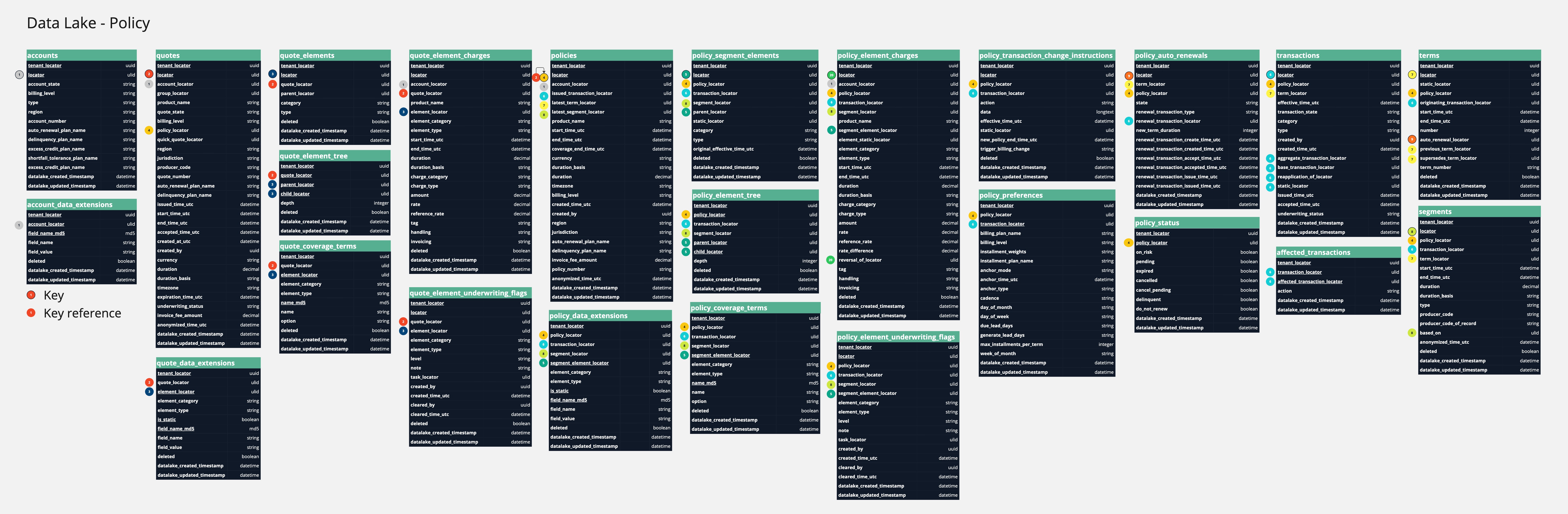
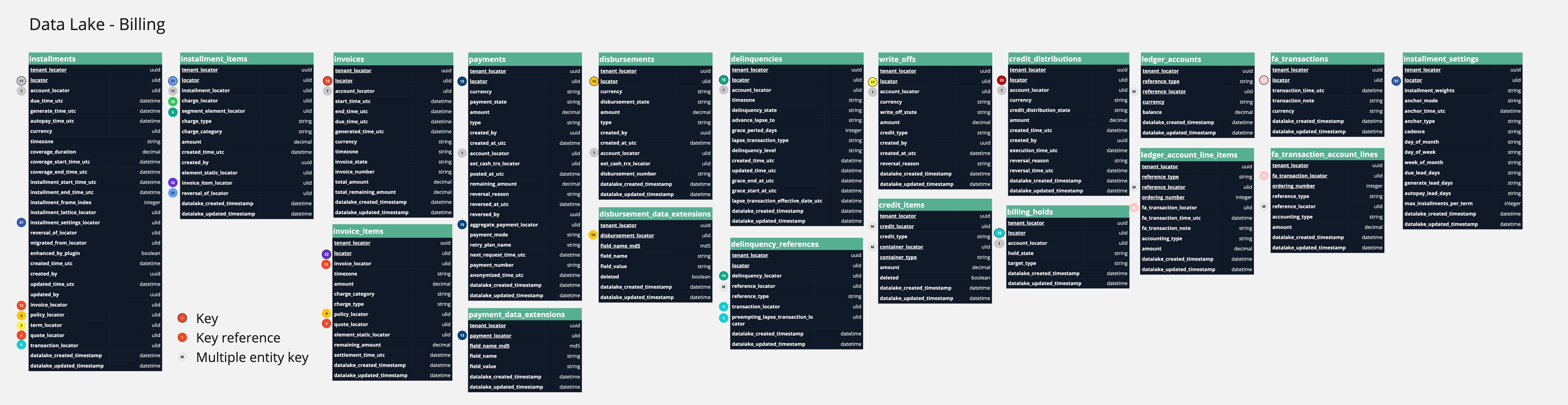
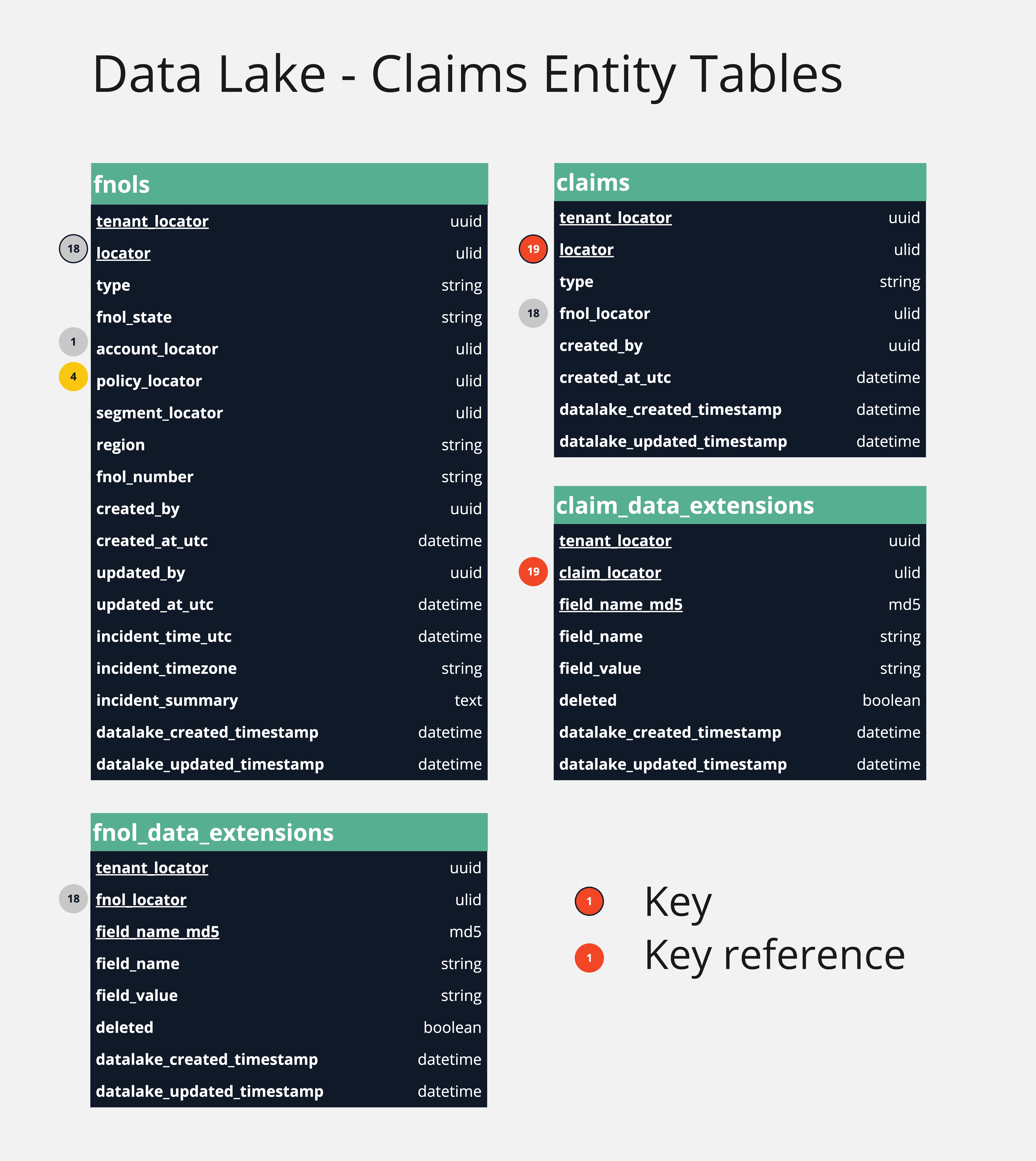
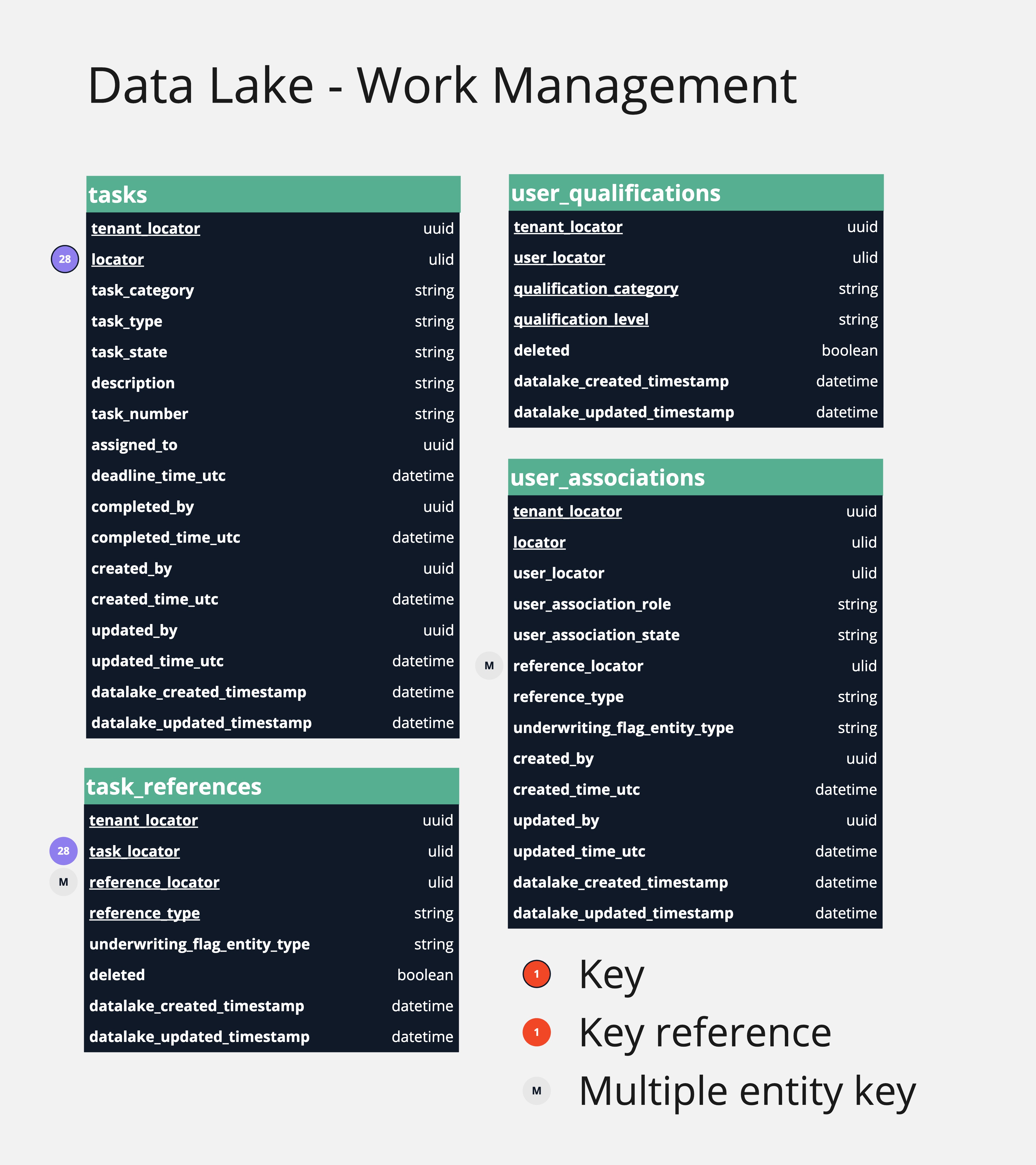
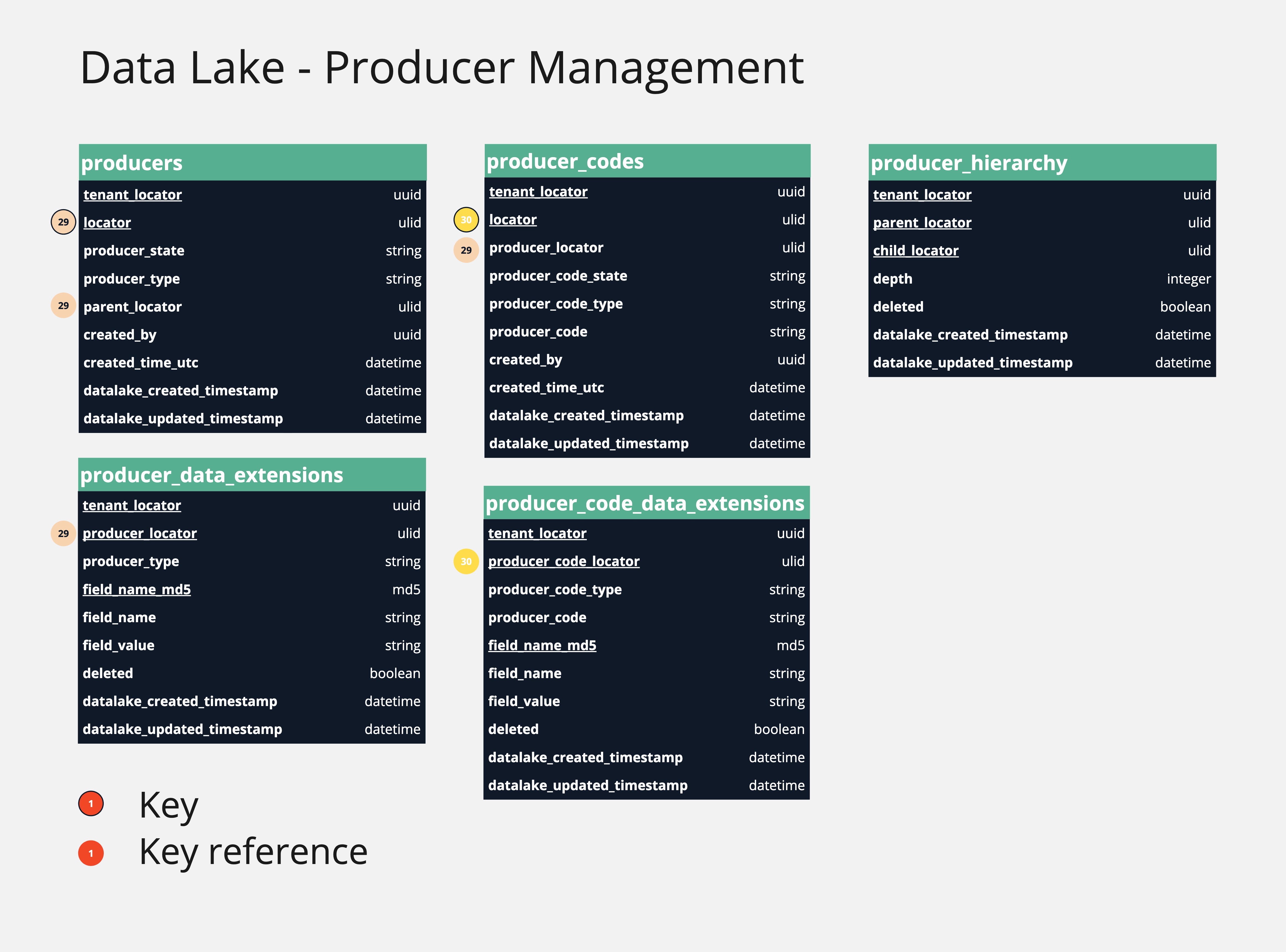
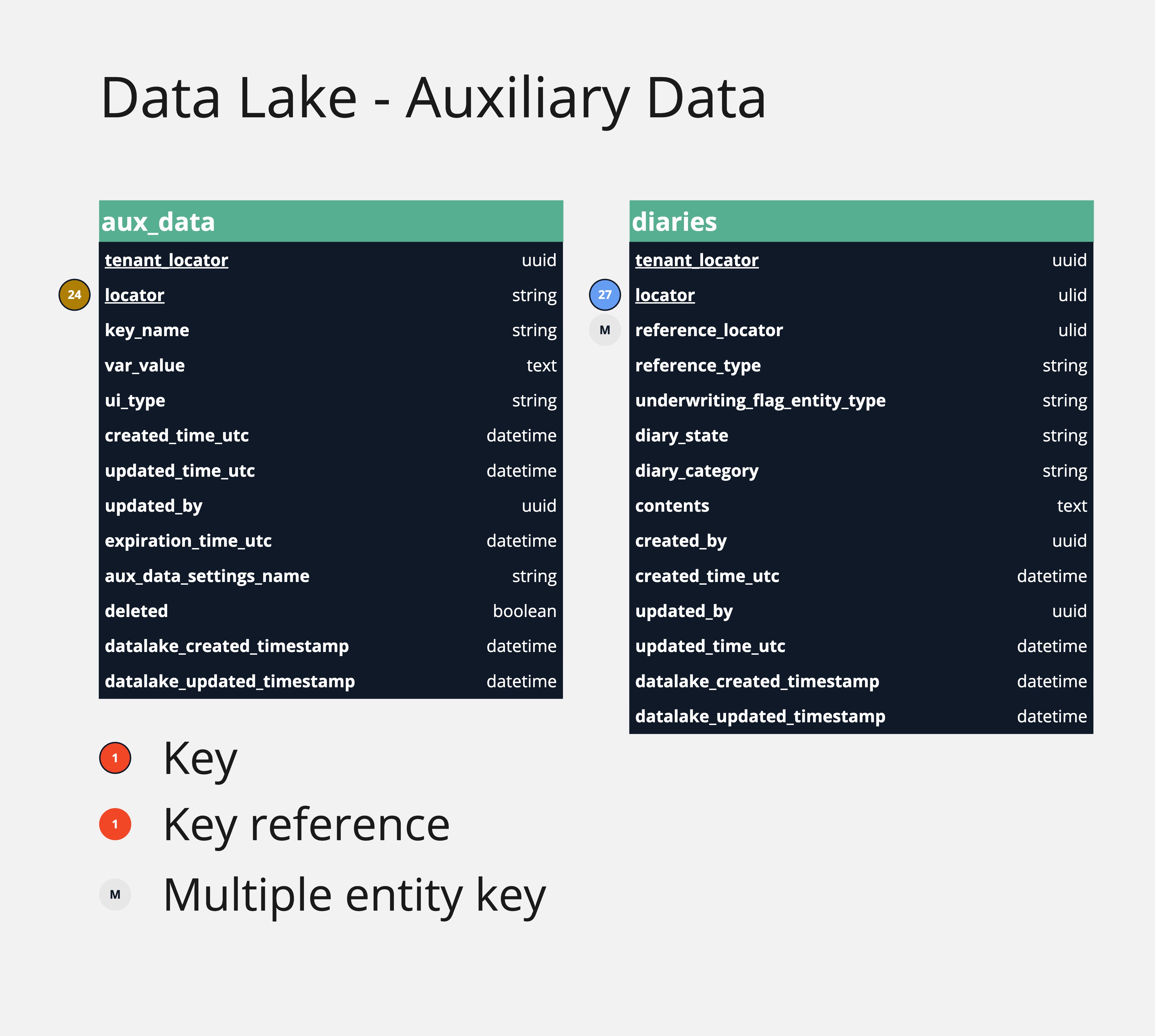
See the entity relationship diagrams below for an overview of the Data Lake data model. Although the diagrams are visually separated by platform service below, there is no real service-level distinction between them.
A complete, field-level reference for every table in the Data Lake data model — including detailed relationship mappings between tables — is available in the Data Lake Table Reference.
Policy Tables
Billing Tables
Claims Tables
Work Management Tables
Producer Management Tables
Auxiliary Data Tables
Moratoriums Tables
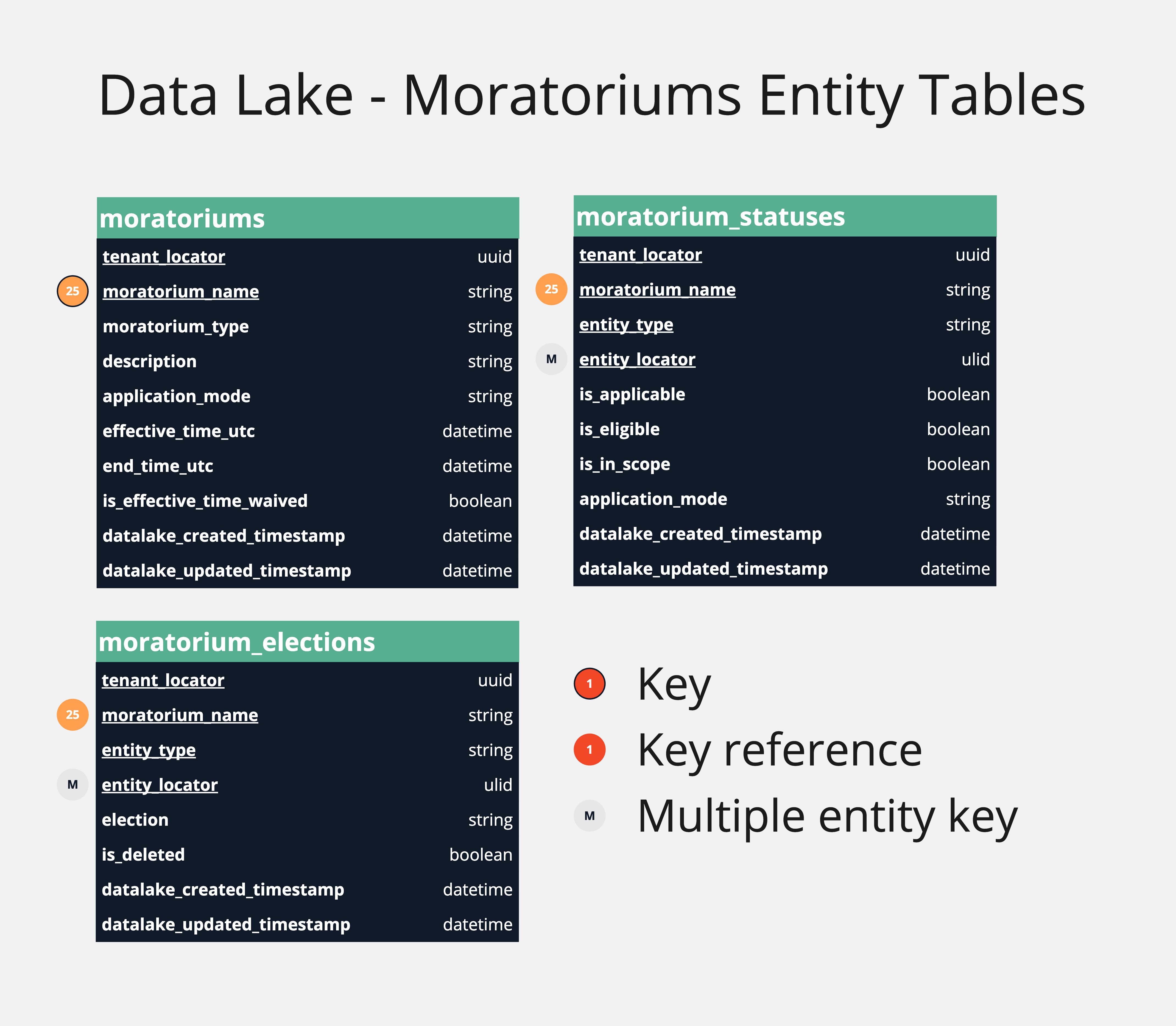
Column order may differ between Data Lake Database and Delta Files, though the underlying data model and schema — names, types, and meaning — is otherwise identical.
Relationship with API Entities
The Data Lake data model maintains generally consistent, 1:1 relationships with the corresponding API entities, with intentional but minor variations that serve different purposes.
For example, in comparing the Data Lake's policies table and the API's PolicyResponse object, you can see that they expose many of the same attributes - locator, product name, timestamps, etc. - but that the naming conventions differ slightly.
Any locator, or unique identifier, within a Data Lake table will correspond to the locator for that entity in the API. However, not all Data Lake tables will have a corresponding analogue in the API data model. If there's an API entity you'd like to see added to the Data Lake data model, reach out to your Socotra representative.
Some API entities will have multiple related Data Lake tables, particularly in cases where there are objects nested within an API response. For example, the preferences object on a quote within the QuoteResponse API object lives in the quote_preferences table, distinct from the parent quotes table. Similarly, some tables have fields not seen in a related API representation, often introduced to facilitate simplified queries against the Data Lake, such as total_amount and total_remaining_amount in the invoices table.
Product Configuration
Any custom fields defined for a product within configuration, along with their values, are called data extensions. These persist in the Data Lake as rows of key-value pairs in a variety of data extension tables (policy_data_extensions, quote_data_extensions, etc.) — this is what it means for the data model to be product-agnostic: a custom field never becomes a new column, it's just a new row. You may want to pivot them into a more conventional columnar form for reporting as part of custom transformations.
Any custom types or plans defined in configuration are also reflected as values for columns on the relevant entity tables, such as element_type or installment_plan_name.
Records in the Data Lake may not reflect all custom fields, types, or plans defined in configuration — only the scope of data that has actually been generated by the platform. The Data Lake does not persist or reflect any details of the configuration itself.
Note that records in the Data Lake may reflect custom fields, types, or plans that existed in prior, previously deployed versions of your configuration.
The configuration data model API provides the easiest view of the custom fields, types, or plans defined in the latest deployed version of your tenant configuration.